RoGold Ultimate v1.16.0 - Avatar Creator Revamp
RoGold Ultimate V1.16 brings a completely rebuilt avatar creator, with a game-like sandbox, accessory positioning, and so much more.
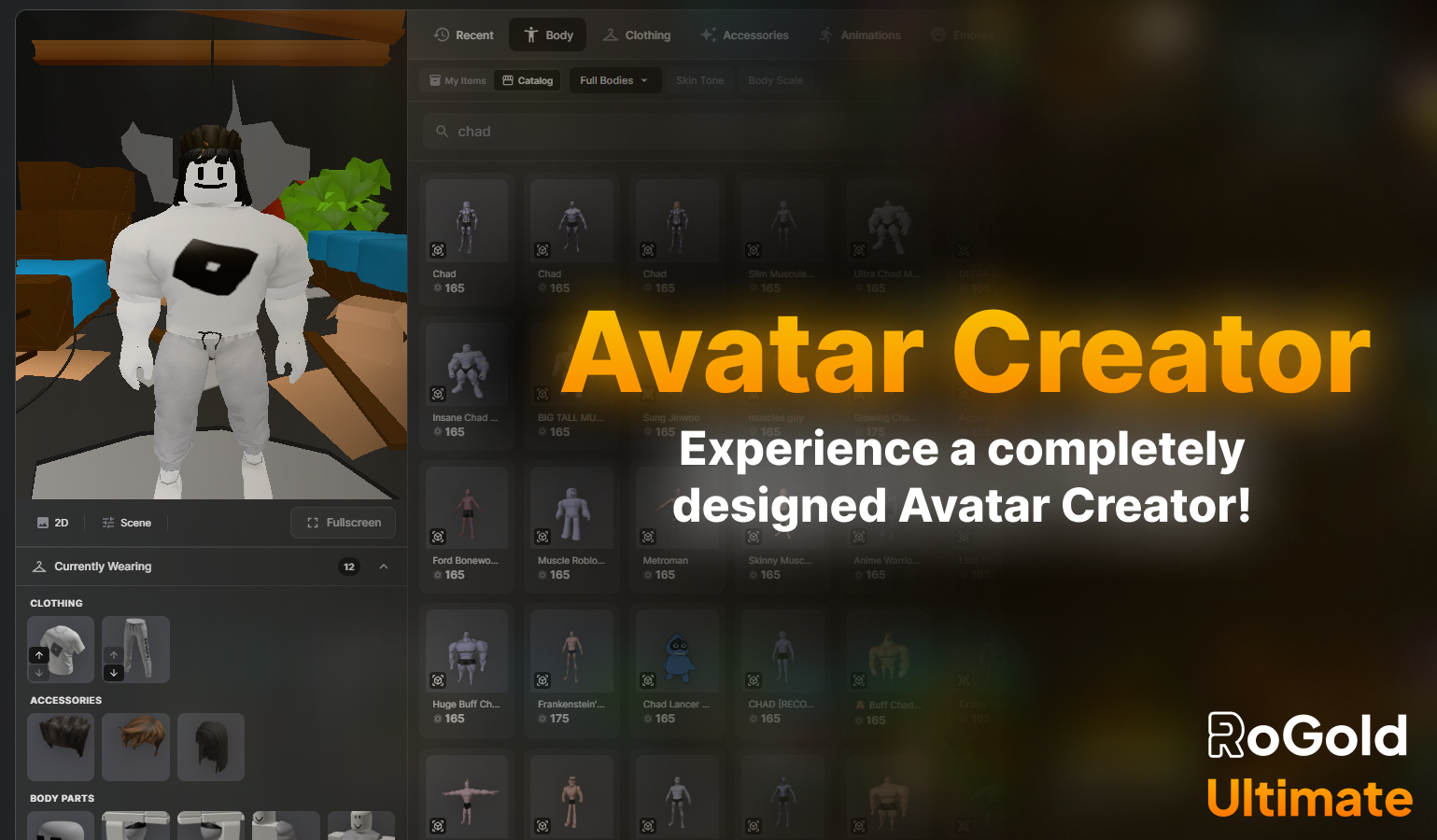
RoGold Ultimate - Update V1.16.0
👕 RoGold Ultimate: Update V1.16.0 is here.
This Update brings along a completely rebuilt avatar creator, with a game-like sandbox, accessory positioning, and so much more.
https://www.youtube.com/watch?v=w5VROYmbNPw
🥼 Remade Avatar Editor
The avatar editor page has been completely remade, and replaced with a custom interface. Here, you can find 2 new modes to edit your avatar with.
Avatar Page
This is the main editor page. Here, you can find a redesigned layout with a 3D animated avatar preview, and everything you'd find in your normal avatar creator, just better.
Fullscreen Mode
This is a fullscreen version of the main editor page. Here you can find a 3D environment with a sky, horizon and more. Every panel here is a floating and draggable window, which you can arrange to what you need and when!
Edit your avatar using what works for you!
💾 Avatar Saving
Changes to your avatar are no longer applied immediately. This means you can try things on, edit your avatar, however nothing updates on your Roblox profile until you hit save.
Save - Saves all changes you have made to your Roblox Avatar.
Discard - Reverts all changes made to your character, and reverts to your last saved avatar
Undo - Undo the most recent change you have made to your avatar.
👾 Game-like Sandbox
In fullscreen mode, you can press play and watch as your avatar comes to life. Interact with your custom levelling profile Avatar Home, see your avatar from every angle, and test animations as you go!
Use arrow keys or WASD to walk, or use Shift to run
Use animation quick preview options, to preview Idle, Walk, Run and Jump animations, to test how your avatar moves.
🏡 Environment Controls
The fullscreen 3D environment isn't just something to look at, you can interact with it! Customise the lighting and atmosphere to view your avatar under different conditions.
Time Of Day - Change the skybox from day to night
Haziness - Change the fog of the environment
Brightness - Change the overall brightness of the environment.
🏬 Catalog Items
You can now browse and preview catalog items, directly from the avatar creator. The catalog panel allows you to search, filter by category, and click any item to view it directly on your avatar.
Here, you can try on multiple items, and even view them in the sandbox to see how everything works
Saving your character with catalog items will prompt you to buy them, straight from the avatar page!
🪩 Emote Wheel
You can also find an emote wheel, with a circular layout with numbered slots to organise your emotes. You can also preview emotes in real time, and see how your avatar performs them, without even having to join a game!
🌐 Accessory Adjustments
Click any equipped accessory and you can adjust its position. You can find a dedicated panel for the specific accessory, to edit it's positioning, rotation and scale!
Position - Move your accessory on your avatar
X Translation - Move the accessory left/right on your avatar
Y Translation - Move the accessory up/down on your avatar
Z Translation - Move the accessory forwards/backwards on your avatar
Rotation - Rotate your accessory, to fit your avatar
Rotate on any axis to tilt the accessory to your requirements
Scale - Resize your accessory
Make items larger or smaller, relative to your avatar
👥 Community Outfits
The outfits panel has been completely remade with 3 new tabs. All, My Created, and Shared. Here you can find quick action buttons for each outfit, for equipping, renaming, updating, deleting, and most importantly, sharing.
You can now publish your outfits publicly to the RoGold Community Outfit market, for other users to use!
Publish your outfits for the community to use
Browse outfits made by other RoGold Ultimate users
Favourite outfits you like, and equip them directly
Purchase them directly from equipping them
⛓️ Remade Game Server Links
Server links have been remade with a new shareable format, which works for anyone (Not just RoGold Users!
Use Short URLs like https://rogold.app/s/6DehGi7cNm which you can easily share with your friends!
⬇️ RoGold Ultimate App Update
The RoGold Ultimate app has had a complete overhaul, and now features a sleek design.
You can also use RoGold Ultimate directly from the app, no need to use your browser!
Try out the update to see everything new!
Full Update Log (v1.16)
✨ New Features
Completely remade avatar page with fullscreen mode
Custom avatar rendering pipeline powering the editor, hover previews, and catalog previews
Save system - Save, Discard, and Undo with no immediate updates to your live avatar
Purchase catalog items on save after trying them on
Game-like sandbox mode - WASD/arrow key movement, or Shift to run
Full 3D environment with sky, horizon, and floor grid
Environment controls including Time of Day, Haziness, and Brightness sliders
Catalog browsing and try-on directly inside the editor
Accessory adjustment - Position (X/Y/Z), Rotation, and Scale with per-axis sliders and numerical precision
Emote radial wheel with assignable slots and animation previews
Avatar Explorer panel - Roblox Studio-style scene hierarchy viewer
Avatar Properties panel - instance data inspector (ClassName, Position, Color, Brightness, etc.)
Rebuilt Outfits panel - All / My Created / Purchased tabs with quick actions
Community outfit publishing - publish, favourite, and browse outfits from other RoGold users
Remade game server links - shareable format that works for anyone (https://rogold.app/s/6DehGi7cNm)
Added trade proof generator (screenshot and text) to the trading system
Hover preview now shows a preview of the user's avatar using our custom avatar rendering pipeline
Catalog item hover now uses same avatar renderer to preview items
Added infinite scrolling to Power Search, instead of a fixed 25 items
Added Join privacy and online visibility toggles to homepage (off by default)
Added "Edit in Studio" button to Uncopylocked places
Added "Download Place File" button to Uncopylocked and owned places
Various UX improvements in trading, such as loading the selected trade instantly
Fixed performance issues
Fixed Roblox replacing our custom sidebar
Tons of additional bug fixes
Added sale statistics to owned UGC items on catalog pages
Added missing languages
Implemented video playback functionality on remade game page
And more